Switch language
Kling AI Baby Dance: Motion-Controlled Baby Dance Videos from One Photo
Generate viral baby dance videos from a single photo. Kling 3.0 Motion Control ensures perfectly stable movement and consistent facial features, eliminating the need for complex prompts.
Kling AI Baby Dance: Motion-Controlled Baby Dance Videos from One Photo
Driven by motion control and templates—pick a motion, not a paragraph of text.
Built for identity stability so the output keeps the baby’s facial features intact.
Generate short clips that look natural on TikTok and Reels with gentle, coherent camera movement.
Credits
20
Generate viral baby dance videos from a single photo. Kling 3.0 Motion Control ensures perfectly stable movement and consistent facial features, eliminating the need for complex prompts.
Generate Kling AI Baby Dance
Open Motion Control Guide
@aibabydance
Best for
Short, cute baby dance videos
Technology
Kling 3.0 Motion Control
Kling 3.0
Motion control
Stable motion
Less jitter
Face consistency
Identity preserved
1080p output
Share-ready
3–30s
Short clips
Baby photo + dance template + motion control
Credits are consumed when generation starts. Failed generations are refunded.
Your photos are processed securely and never stored.
Upload a photo and select a motion template to create a kling ai baby dance video. Motion control focuses on stable movement and consistent identity, so you can get great results without writing prompts.
Model
Kling 2.6 Motion Control
Baby Photo
Upload baby photo
JPG, PNG, WebP (max 10MB)
Or try an example
Dance Template
View All
Upload
0:09
0:13
0:10
0:14
0:15
0:11
0:12
0:17
0:07
0:16
0:21
0:08
0:19
Resolution
720p
1080p
Character Orientation
Video
Image
Dance Templates
Preview Mode
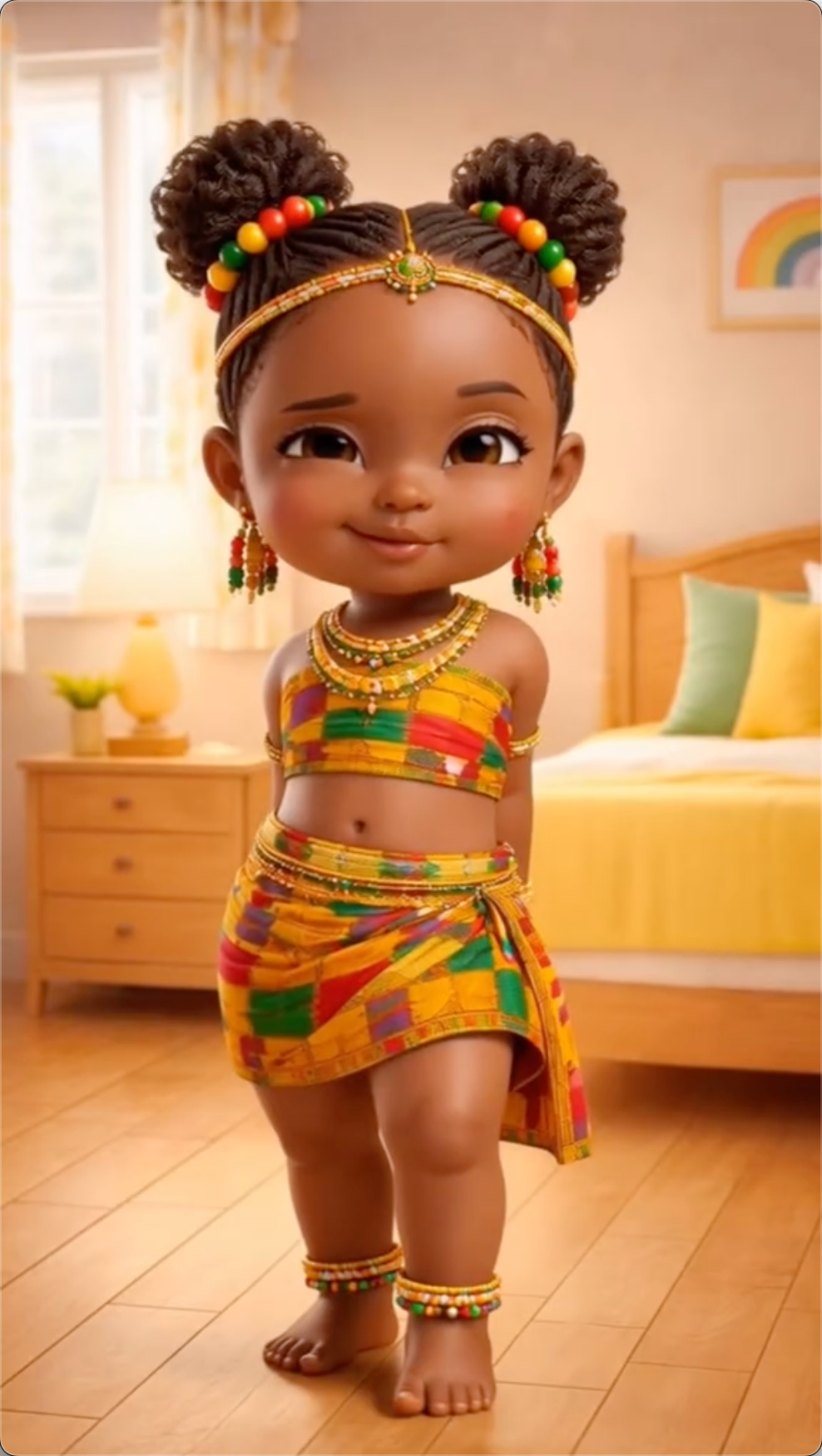
Designed to keep small-body movement readable. Motion control reduces jitter and sudden pose jumps, so the dance looks cute instead of chaotic.
Parents care most about recognition. Face consistency is treated as a first-class goal so the baby remains recognizable throughout the whole clip.
A gentle camera makes the video feel filmed, not generated. Subtle movement also helps reduce background tearing.
Cute baby dance moments often come from small gestures—waves, claps, and tiny bounces. Motion control helps keep these details more consistent.
Each section shows an image and a demo video when it enters view. These four reasons make kling ai baby dance with motion control a strong fit.
A baby dance clip feels ‘real’ only when small movements stay smooth and on beat. When a model improvises motion frame by frame, you may see jitter, limb wobble, or sudden pose changes.
Prompts can be ambiguous: you write text, run it, and hope the model interprets the dance the way you imagined. Motion control flips the workflow by letting you select a motion pattern (template or reference) and having the model follow it.
Parents judge a baby dance video like a memory: if the face changes, it’s not their baby anymore. Prioritize an unobstructed, well-lit face and avoid extreme angles.
Use a clear photo, pick a motion that matches the framing, and keep the first clip short (6–12 seconds). Short clips reduce drift and are easier to regenerate.
Baby dance is a special case: tiny bodies, subtle gestures, and highly sensitive face identity. This page explains why kling ai baby dance with motion control tends to look more realistic—and how to get consistent results without prompt engineering.
Because babies have short limbs and small hands, tiny errors are obvious. That’s why controlled motion plus identity consistency matters more here than flashy scene effects.
Treat motion as a controllable input—tempo, amplitude, and rhythm. Constraining motion reduces random jumps and makes timing easier to keep consistent across the clip.
Motion choice affects identity too. If a template has rapid head turns or strong camera swings, recognition gets harder. Start with moderate motions, then increase energy once the face stays stable.
If a result is close, change only one variable at a time (photo, motion, or duration). This makes iteration predictable and helps you quickly converge on a clean, shareable output.
Use a clear, well-lit photo showing the baby’s face and upper body for better identity consistency.
Pick a motion template that matches the photo framing. Start with moderate moves for the cleanest results.
Generate, preview, and download. If hands break or the face drifts, regenerate with a calmer motion.
Generate a baby dance video with motion control in minutes—no prompt writing, just clear inputs and the right motion.
The best inputs show eyes, cheeks, and hair clearly. Avoid heavy shadows and face occlusions so identity stays consistent through motion.
Half‑body photos pair best with half‑body motion. Full‑body motion on a tight crop can cause warping. Framing alignment improves stability.
High-energy moves increase hand and face drift risk. For the first attempt, choose a calmer motion and scale up after you confirm identity is stable.
Baby dance clips look most realistic with subtle camera motion. Gentle movement helps avoid background tearing and sudden facial changes.
If a result is close, change only one thing: photo, motion, or duration. This makes iterations predictable and faster to improve.
Most viewers watch on phones. A short, clean clip often performs better than a longer clip with more chances for artifacts.
Use this checklist to improve stability and identity. It’s designed for motion control workflows—choose the right motion, keep constraints tight, and regenerate strategically.
Match the photo crop to the motion. Half-body photos pair with half-body motion; full-body motion needs full-body framing to avoid warping.
Keep eyes, cheeks, and hairline visible. Avoid hands over the face, heavy hats, and strong shadows to reduce face drift.
Leave a little background around shoulders and arms. Tight crops increase artifacts, especially in faster motions.
Use soft, even lighting. Avoid harsh side light and heavy color casts; a clean photo matters more than extra settings.
Get the most out of Kling 3.0 Motion Control—stable motion, consistent identity, and clean mobile-ready results.
Users who want stronger motion quality on harder dance templates
Best when the dance has faster or wider motion changes
Strong general motion, not built around this workflow
Better fit for high-energy, larger-amplitude, or trickier templates
General creative motion, less template-oriented
Better upgrade path when motion intensity starts hurting face consistency
Strong model, but input policy is restrictive here
Not optimized for baby-photo dance template workflow
Use when Kling 2.6 feels too soft, jittery, or inconsistent on your chosen dance
Use for broader non-baby video exploration
Higher cost, justified when it saves reruns on difficult clips
✅ 20 bonus credits for custom template generation
* Based on official model and platform documentation available on March 19, 2026.
The real decision on this page is not just Kling vs other models. It is whether Kling 2.6 is enough for your clip, or whether your dance template is complex enough that Kling 3.0 is worth the higher credit cost.
Feature
Google Veo 3.1
OpenAI Sora 2 Pro
Most users who want cute results at the lowest cost
General cinematic video generation
General prompt-driven video generation
Workflow Fit For This Page
Best value default
Platform-priced general model
API model
Free Tier
Google Cloud credits may apply
Kling 2.6 should stay the default for most users because it is cheaper and already works well for simple, cute dance templates. Kling 3.0 earns its place as the upgrade option when you want cleaner motion on faster, bigger, or more demanding dance moves and are willing to pay more to reduce failed-looking outputs and reruns.
Create short, loopable videos for TikTok, Instagram Reels, and YouTube Shorts.
Turn baby photos into animated keepsakes and share a clean MP4 with family.
Make a short reveal clip that stands out beyond a typical photo slideshow.
Create a personalized dancing baby video as a digital gift.
Creative ways to use motion control for baby content. Easy to repeat and export.
Try Now
Do I need prompts for Kling 3.0 motion control?
What AI model powers this baby dance generator?
Is this the official Kling AI website?
How can I get better results?
How long can videos be?
Is my baby's photo safe?
Do free downloads include clean files?
Are downloads clean by default?
Do clean exports stay available?
How are privacy and storage handled?
Can I use videos commercially?
Create adorable dancing baby videos in seconds. No skills required — just upload a photo and watch the magic happen!
Create Your First Dance Free
View Pricing